Conditions: only do what fits
Right now your flow saves every attachment, including signatures and logos from emails. With a condition, you make the flow keep only PDF files. You continue with the flow from lesson 2.
Basic10 minutes
What do you need? The flow Save attachments from lesson 2.
When a new email arrives (V3)
Trigger · OutlookFolder: Inbox
Apply to each
Loop · ControlOutput: attachments
Condition
ControlAttachments Name ends with .pdf
Create file
Action · OneDrive for BusinessFile Name: Attachments Name
Step by step
0 of 7 steps checked off
-
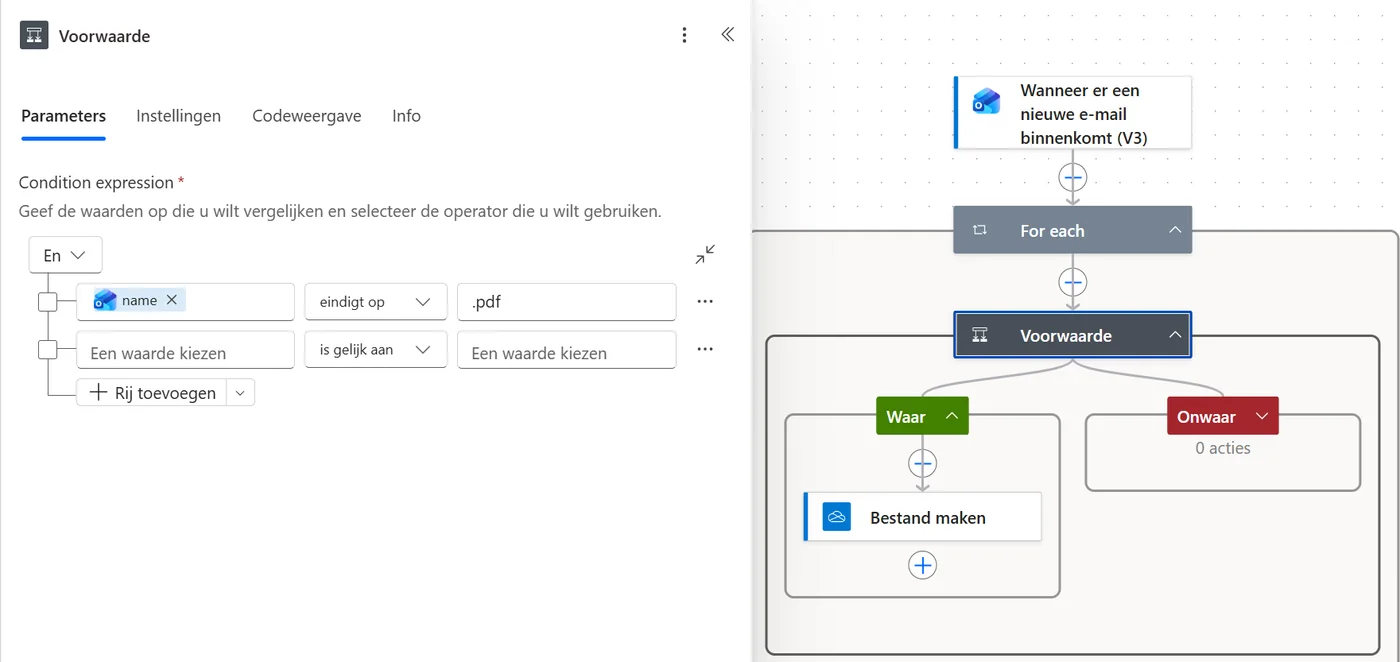
The condition is filled in. Tap the image to enlarge. It shows the Dutch interface. -
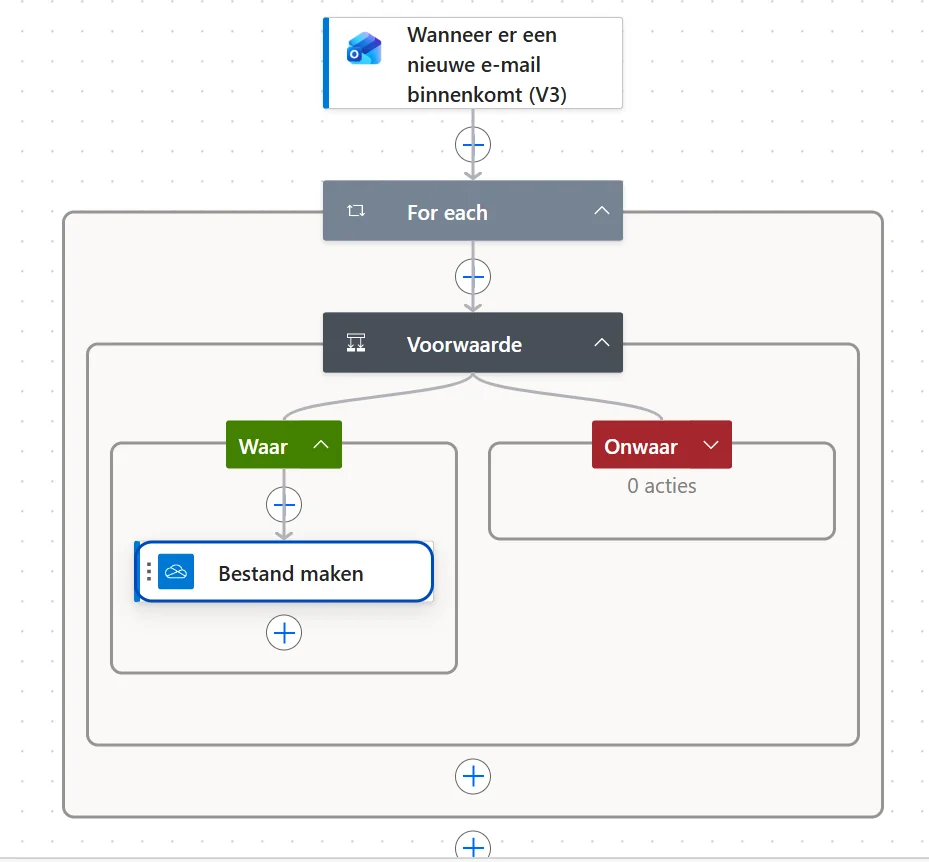
Create file is now in the True box. The False box stays empty. Tap the image to enlarge. It shows the Dutch interface.
Last updated: